In-house legal teams spend a large share of their time on repetitive, low-judgement work. Legal workflow automation is how they get that time back.
What is legal workflow automation?
Legal workflow automation uses technology to handle the repetitive, rules-based steps in legal work so that people do not have to. Instead of a lawyer manually drafting a standard agreement, routing it for approval and chasing a signature, the workflow does the routine parts automatically, leaving the lawyer to focus on the work that genuinely needs their judgement.
What legal workflows can you automate?
The best candidates for automation are high-volume and standardised. A few stand out.
Contract generation and approval
Standard contracts can be generated from approved templates by the business itself, then routed automatically for any approval required, rather than drafted from scratch each time.
Legal intake and triage
Structured intake captures requests with the right information and routes them automatically to the right person or process, which is the foundation of good matter management.
NDAs and standard agreements
Routine agreements such as NDAs are ideal for automation. They are high in volume and low in variation, so the business can self-serve from an approved template and only involve legal by exception.
Approvals and sign-off
Approvals can be routed automatically based on value and risk, enforcing your delegation of authority without anyone having to remember the rules.
What are the benefits of legal workflow automation?
Automating legal workflows speeds up turnaround, removes administrative load from lawyers, and enforces consistency so every output meets the same standard. It lets the business self-serve on routine requests, which keeps work moving, while legal retains full visibility and a complete audit trail. The function supports more of the business without adding headcount.
Where should an in-house team start?
Start with one workflow that is high in volume and low in variation. For most teams that is NDAs or standard contracts. Automating a single well-defined process well delivers quick, visible value, builds confidence, and makes the case for extending automation to the next workflow. Trying to automate everything at once is the common mistake.
How Plexus automates legal workflows
Plexus lets legal teams build their processes once and run them automatically. Standard documents are generated from approved templates, approvals are routed by policy, executed agreements flow into a central AI contract repository, and Plexus AI handles drafting and review. Legal sets the rules once and the business works within them, every time. A natural next step is automating compliance processes.
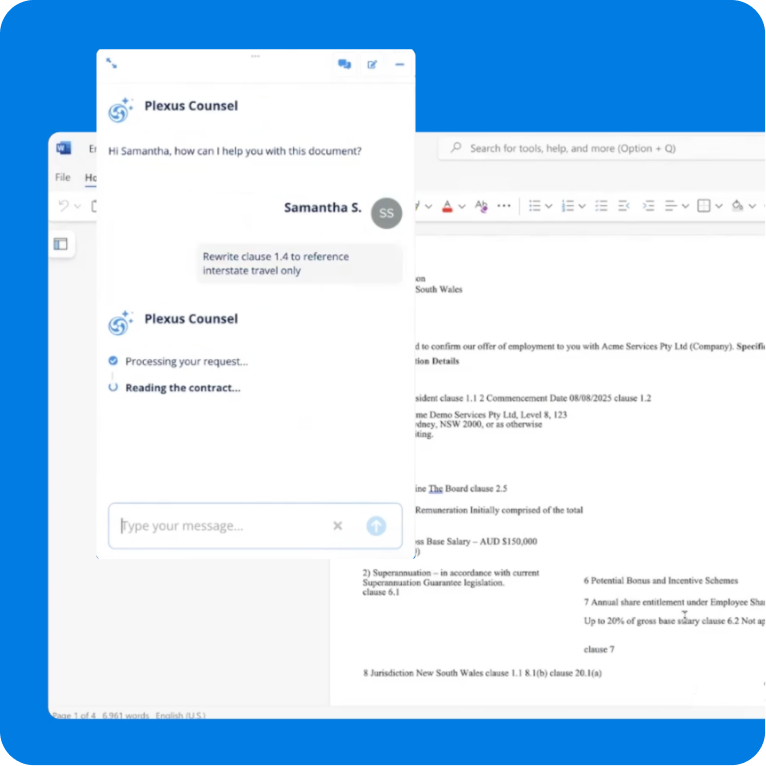
 Meet Plexus Counsel, your new AI-powered digital lawyer
.svg)








.svg)